1. Create a folder on your hard drive i.e. C:hide and put all the files you want to hide and a JPEG image.
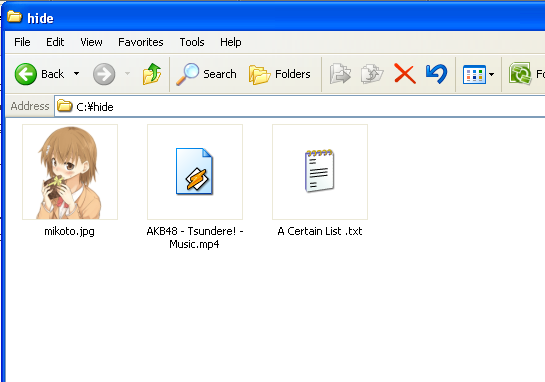
2. Now select the files you want to hide and compress them into .rar or any type of compression files.

3. Now you see a jpeg image, files, and a compressed file.

4. Click on Start, open run and type cmd and press Enter. Type in CD to get into the root directory. Then type in CD and the directory name that you created, i.e CD hide

5. Now type in the following line: copy /b mikoto.jpg + hide.rar mikoto.jpg and press Enter. See the response below:

Now you have done. To open the files, you have two way. You can either change the extension of jpg image to .rar or right click and choose Open With and then scroll down to WinRAR. That's it, hidden files inside your image.

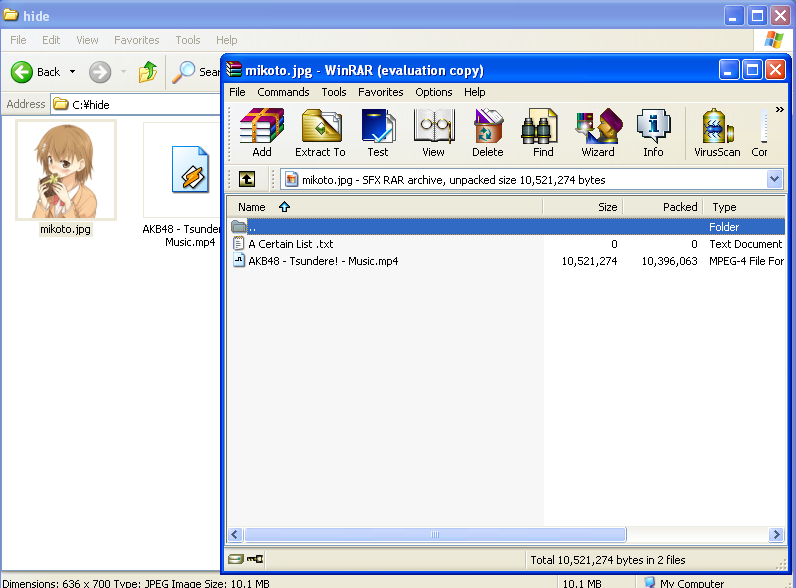
Yes, people can click the image directly and they will stumbled upon innocent picture instead of hidden files.

It is a great way because not many people know it's actually possible and no one even thinks about a picture as having to the ability to “hide” files. Enjoy.
